Thoughts and jottings on the whole process of developing and selling software products with an emphasis on selling online via a website.
Monday, 9 July 2012
Opening a SQL Server 2012 database in Visual Studio 2010
The only way I could show the DB was to add a connection to a database file. To do this I had to:-
1. Right-click the Data Connections node in Server Explorer and choose Add Connection...
2. Make sure the Data Source field was set to SQL Server Client as shown in this pic.:
3. Then in Server name field type in the name of the new SQL Server Express 2012 instance. In the pic. above, the name of my server is SLIQSQL but for a default installation of SQL Server Express, the server name is likely to be SQLEXPRESS (I just chose a different name during the installation process).
4. Then press the Test Connection button. If all is well you should get a Connection Succeeded message.
5. Finally, choose the database you want to add in the Select or enter a database name field and press OK to close the dialog.
The chosen database should now show in the Server Explorer.
Where does SQL Server 2012 store database files by default?
To find out where your database files are stored do the following:-
1. Open SQL Server Management Studio
2. Right click the server name in the Object Explorer pane on the left and choose Properties.
3. In the Properties dialog, choose Database Settings in the Select a Page pane on the left.
The database file locations are then shown on the right.
Saturday, 30 June 2012
VistaDB vs SQL Server Express for Multi-User apps
VistaDB however does have a few drawbacks that make it unsuitable for larger, multi-user applications which means I'm now looking at using SQL Server Express in some new applications. VistaDB will still be a part of some of my future apps but not part of apps where I want to offer true multi-user capability.
In my experience, the key drawbacks of VistaDB for multi-user apps are:-
1. The lack of a client/ server model. Instead, each VistaDB client directly access the database file and Windows itself manages file locks and such. The result is that when 2 or more users try to access a database file simultaneously access times go through the roof and the app crawls along.
2. VistaDB's lack of paging support, e.g. something like MySQL's LIMIT, OFFSET commands, means that it is hard to avoid reading whole SQL tables of data from the DB to present in lists. Reading large amounts of data from a shared file can compound the Windows shared file performance drop from point 1.
3. In a multi-user app with concurrent access, SQL transactions are essential to ensure consistent updates across tables. Unfortunately, VistaDB transactions are extremely slow causing application performance to drop.
The points above aren't complaints about VistaDB - multi-user apps aren't what VistaDB is intended for. My only disappointment with VistaDB is that it's so good, I just wish there was a simple, easily deployable, client/ server version.
As I gain more experience with SQL Server Express, I'll try and list more pros and cons. One good tool I've found so far for use with SQL Server is OpenDBDiff. This is a free, open-source tool for comparing schemas of two different SQL Server databases and generating SQL scripts to make the schemas match. I can see this tool being essential to ease field upgrades of SQL Server DBs. With VistaDB today, I generate schema update code by hand, so it's a nice, early bonus to find an automatic way of doing this for SQL Server.
Saturday, 23 June 2012
Article Marketing Software
SliQ Article Submitter lets you submit as many articles as you like to as many directories as you can find. Although the package comes with a small list of article directories you can easily add your own. The software supports Wordpress, Article Dashboard, MS and Setup amongst other scripts.
To find out more about SliQ Article Submitter, check out the article submitter info at http://www.sliqsubmitter.com.
Wednesday, 11 November 2009
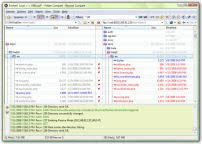
Beyond Compare - File Comparison Tool
I'm showing my age here but in the past I've always used Windiff (in my Visual C++ 6 days). Windiff used to let me find out what the differences were between files. I could then merge file contents using a text editor. This process works but it was sometimes difficult to get files to match exactly as there were often extra spaces of line breaks.
Windiff disappeared from Visual Studio 2005 so more recently I've even restored to the old DOS FC command. I did have a quick play with Visual SourceSafe but the solution wasn't really flexible enough - often I want to compare and merge files without locking something down in a configuration management system.
However, I recently came across a package called Beyond Compare from Scooter Software. This package is absolutely fantastic and is now my second favourite software tool (after Visual Studio).

Firstly it remembers folders you've compared in the past. This means you can do a new comparison and merge more easily the second time.
Secondly it lets you move updates from one file to another with a single mouse-click and shows you the results. Any extra/ missing whitespace differences are easily ignored. This makes merging versions take minutes rather than hours.
Thirdly, the software tool itself presents a trustworthy user interface. As you're doing a compare and merge with Beyond Compare, you can refresh the file comparison on the fly and check that things are absolutely identical. Knowing things are the same - bar the differences you want to keep - is vital to ongoing software development.
If merging files and versions of software is something you do regularly I'd recommend going to the Scooter Software site and taking a look at Beyond Compare.
Saturday, 11 July 2009
PHP, MySQL date and time formats
PHP stores dates and times in Unix or UTC format. This format encodes a time as an integer count of the number of seconds since New Years Day began in 1970 (1st Jan 1970). MySQL on the other hand stores dates and times in string format. All three MySQL date/ time types DATETIME, DATE and TIMESTAMP store data in string format.
MySQL DATETIME and TIMESTAMP columns store in the format:
MySQL DATE columns store in the format:
PHP and MySQL date/ time comparisons
Obviously, this difference in format causes problems when inserting dates and times into MySQL databases and especially when comparing MySQL and PHP dates for example trying to select entries from a table where a date value in the table is older than a PHP date. The easiest way to do this is to use the UNIX_TIMESTAMP MySQL function. For example:
// You could get the date as three integer values from a querystring on the PHP page:
$day = $_GET['day'];
$month = $_GET['month'];
$year = $_GET['year'];
// Then use the day, month and year to construct a PHP time (in seconds since
// 1st Jan 1970 format).
$datetime = strtotime($year.'-'.$month.'-'.$day.' 00:00:00');
// Then find all entries newer than the date given by the querystring arguments.
$sql = "SELECT * FROM MyTable WHERE UNIX_TIMESTAMP(UpdateDate) >= '" . $datetime . "'";
$result=mysql_query($sql);
The above SQL query causes MySQL to convert the value of the DATETIME (or DATE or TIMESTAMP) value in the UpdateDate column in the hypothetical table into a PHP format date before doing the compare.
Storing a PHP date/ time value in MySQL
To convert a PHP format date/ time into MySQL's format, the MySQL FROM_UNIXTIME function can be used. For example:
$currenttime = strtotime("now");
$sql = "UPDATE MyTable SET UpdateDate = FROM_UNIXTIME(" . $currenttime . ") WHERE ... ";
$result=mysql_query($sql);
Don't use strings for PHP/ MySQL date > or <>
You might find some PHP code examples, trying to use the PHP date() function to format PP dates and times as strings in the correct format to match MySQL values. If you can remember the correct format strings for the conversions this will work as long as you are setting values in rows. For comparisons however, strings aren't any good as the comparison will be an alphabetic/ string comparion and not the required date comparison.
Thursday, 7 May 2009
VistaDB, SQLite and Microsoft Access
The main reason I decided not to replace Microsoft Access with SQLite was that I'd got too used to ease with which I could get when using the .Net datatypes seamlessly with Microsoft Access, e.g. I could read and write the .Net Decimal type straight to Access. With SQLite it seemed that I might have to convert to and from strings to preserve accuracy. This wasn't a big showstopper but I'm afraid I like my programming to be as easy as possible.
I'd pretty much resigned myself to using Microsoft Access but then I came across a really neat database system called VistaDB. VistaDB looks (I suspect) like it may have been originally based on SQLite but the great thing about it is that it has the rich data type support you get with Microsoft Access - plus extras like stored procedures - without losing the no hassle deployment of SQLite. I've spent a few hours evaluating VistaDB and so far it looks ace. For my particular application it solves all the downsides of both SQLite and Microsoft Access.
Monday, 6 April 2009
SQLite and ADO.Net: Acting as an Access replacement
I've had a bit of a play recently with SQLite and ADO.Net to see if I could slot in SQLite instead of MS Access in my desktop application. As yet I haven't made my mind up, but it's been a very interesting exercise. Here's a quick summary of my findings so far.
DataType Support
With my limited experience, SQLite seems to support fewer data types than MS Access. On the whole this isn't a problem apart from two areas - the .Net Decimal type and the .Net DateTime type. In both these cases I think you end up having to encode the data as strings and take care of any localisation issues yourself, e.g. making sure dates stored in France can be read in the UK and vice-versa. I haven't delved into Decimal storage too much but I think strings will need to be used instead of squeezing data into the Double data type and experiencing potential rounding errors.
Complete ADO.Net Support
The SQLite support is pretty comprehensive but misses out in one or two areas like the RowStatusUpdated event handling.
Error Handling
If you open a connection to a non-existent DB, SQLite seems to create an empty database at the specified path. This isn't a big issue but it means that the "DB doesn't exist" error turns into a "Table doesn't exist" error when you try to access a table in the DB.
Note: Since I wrote this post, I've found out that you can use connection strings to alter the default behaviour of creating an empty DB when the target DB can't be found. Read SQLite Connection Strings for more info.
Performance
On first impressions, data access with SQLite is very quick and certainly quicker than MS Access. However, if you have to start encoding and decoding data into strings (DateTime for example), I'm not sure that the performance wouldn't start to degrade.
Installation
With SQLite there is essentially nothing to install. All you need to do is copy the assembly into your application folder and you are up and running. SQLite wins hands down here.
Conclusions
None for now, except to say that SQLite looks very tempting as an Access replacement especially as it's so easy to deploy. I'll post more info as I gain more experience.
Sunday, 1 March 2009
SliQ Invoicing 1.6 Released

Tuesday, 13 January 2009
Free Software Downloads
There are a number of reasons for the increase in traffic.
- Being a shareware directory, SoftwareLode naturally builds links over time as authors link either to the homepage or to the details page for their software packages.
- As well as an increasing number of links, better internal linking has also helped. Each software details page now links to up to 10 related programs, i.e. programs with the same keywords. Getting more, relevant links to the program details pages helps pull pages out of the supplemental index.
- Better linking from the homepage into the rest of the site spreads the homepage PR around more efficiently. The homepage now lists top selections in a number of categories. The details pages for the top selections then link to related programs and so improve the rank of lots of the inner pages.
As SoftwareLode was launched only 7 months old, I'm pretty pleased with its performance and hopeful of further increases in traffic in the months ahead.
Thursday, 8 January 2009
ADO.Net, DataAdapters & DataSets: What are they?
The four items in the picture are:-The Database
This is something like an Access or SQL Server database. ADO.Net provides classes to handle many different types of database. All the classes inherit from a set of base classes so to a degree you can hide the details of the specific database type from your code.
The DataAdapter
The DataAdapter class is the SQL workhorse. There are a number of different DataAdapter classes for different databases, e.g. OldDataAdapter for working with an Access database. It's the DataAdapter class that does all the work - reading, inserting, deleting and updating - in interacting with the database. All you have to do is build the SQL commands for the DataAdapter to do the work and then let it get on with it's job.
The DataSet
The DataSet is the class you interact with when manipulating data values in the database. The data within a table in the actual database can be thought of as a collection of rows, with each row containing a number of named field values. The DataSet mirrors this view of the database. The DataSet is a collection of DataRow objects, with each DataRow begin a Dictionary of the values in the row where the dictionary keys are the field names.
How do the classes interact?
To work with the data, you configure a DataAdapter instance with the SQL commands to read data, insert, update and delete data in the database. You then ask the DataAdapter to fill a DataSet. You can then change values in rows in the DataSet, add new rows or delete rows. When you've made the changes, you ask the DataSet to get the DataAdapter to reflect your changes into the actual database.
In my next post, I'll give some code examples using the DataSet and DataAdapter classes.
Wednesday, 7 January 2009
Error reading setup initialization file: InstallShield Problem
The error the user was getting was "Error reading setup initialization file". Googling for info I found information saying that the error was sometimes reported if the InstallShield package had been corrupted. I tried downloading the lastest installer from SliQTools and tested it successfully on Vista and XP machines here in the office so I knew the live release wasn't corrupt. More research on Google indicated that the problem sometimes occurred if the installer took a long time to download -it was taking over 20 minutes on the user's Vista machine. Luckily the user was very technically aware and was very helpful in trying out different things.
I asked the user to download the installer to a Windows XP machine. This time the download took only 5 minutes over the same office broadband connection as with the Vista machine. The installation ran perfectly. The user then copied the installer on a flash drive and installed correctly on the original Vista machine. That evening the user download and installed correctly on his home Vista machine.
I find it hard to believe but the finger is pointing at the installer package being corrupted during the download process. There's not a lot I can do about people's broadband connection but I may have to think up some strategies for reducing the size of the download.
Tuesday, 6 January 2009
Getting out of the supplemental index
Back in late summer I reevaluated the linking strategy between my websites. Up until then I'd used my main site to feed link juice into my newer sites - softwarelode and so on. I decided this was a bad thing to keep on doing, since my original intention was to feed link juice back into my main money-earning site and not do things the other way around.
It was interesting though to see how well sites like softwarelode responded to getting a few links from my main site. Basically within 3 weeks softwarelode started getting a few hundred visitors a day even though it was a new site. Predictably, when I removed the links the visitor numbers began to fall but at a much slower pace than the visitor numbers grew in the first place. Rather than the 3 weeks or so for the visitor numbers to peak, it took 2 to 3 months for the visitor numbers to fall away. During those 3 months, Google did some mini toolbar PageRank exports and some of the inner pages of softwarelode started showing PRs of 2 or 3. By early December though all pages apart from the homepage were showing PR N/A and visitor numbers were 20% of the peak.
As the visitors fell away, more of the softwarelode pages were falling into Google's supplemental index. When a page is in the supplemental index it's not going to turn up in SERPS execept for very specific/ obscure search phrases. The supplemental index is purgatory for web pages. I had a look around the web to see what advice I could find. As to be expected the advice was that old chestnut - build backlinks. So, before Christmas I did a spurt of backlink building and I'm pleased to say that since the New Year visitors are returning to softwarelode and the Adsense income is beginning to climb again. Since yesterday (5th Jan), an extra 350 pages are marked as being in the main index. I know of similar sites to softwarelode with about 2500 pages in the main index that make a decent amount of Adsense income (few hundred dollars a month) so hopefully I'm on target to making softwarelode an earning website by the middle of 2009.
Friday, 19 December 2008
Measuring the competitiveness of keywords
Competitiveness is a difficult thing to measure and it has to be balanced against the search volume for any particular keywords. It might be worth optimising for competitive keywords if the search volume is very high and you don't mind taking a longer term view of ranking well. Taking the opposite view, it isn't worth optimising for uncompetitive keywords if the search volume is very low.
One way of investigating the competitiveness of keywords is by using Google's own keyword research tool at https://adwords.google.com/select/KeywordToolExternal. This tool shows monthly search volumes for keywords together with a rough gauge of the competition for the keywords.
Another rough way of gauging the competition is by using the allintitle: operator when doing a search. Using the allintitle operator makes the SERPS only contain those pages which have the search words in their title. Since a page title is a key SEO factor, the number of results returned is a rough and ready gauge of competitiveness. For example, if you want to measure the competition for web design, do the following search on google.co.uk:
allintitle:web design
This returns 9,800,000 results. Trying:
allintitle:seo
returns 13,800,000 results.
Contrast these numbers with a set of keywords that we can guess are pretty uncompetitive:
allintitle:british vineyards
This returns 639 results, or ...
allintitle:web design worcester
which returns 1050 results.
Of course, the number of pages that include keywords in their title doesn't tell you the full story of how competitive a set of keywords are but it is a start. For one thing, allintitle doesn't tell you how well optimised the pages are, e.g. the first 50 pages in the results might have good links and content and be hard to beat without a lot of work. allintitle though is a useful tool to add to your SEO arsenal.
Monday, 15 December 2008
SliQ 1.5 Released
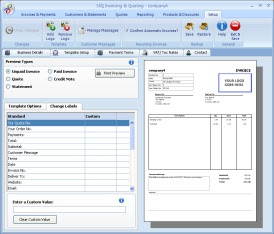
With two or three mouse-clicks you can now make SliQ Invoicing automatically raise repeat copies of invoices. All you need is select an invoice and check the Recurring? box in the toolbar.
... then confirm the frequency for raising the invoices ...
This will save loads of time for anyone regularly raising repeat copies of invoices, e.g. website designers charging monthly for SEO or website maintenance.
SliQ 1.5 also includes a bulk printing facility. SliQ now tracks which invoices have been printed and allows the user to print all un-printed invoices with a single menu click. This should greatly speed up the monthly billing process for SliQ's users, especially if most of the user's invoces are automatically raised by SliQ using the recurring invoice feature.
Wednesday, 3 December 2008
SEO: Doing it professionally
The easiest and cheapest service I could offer is sets of directory submissions. To do these I could use my development version of professional directory submitter, SliQ Submitter Pro. This should allow me to do a hundred or so submissions an hour.
Of course there are a lot of other techniques I could use to do link-building. The more I think about it though, the more I feel a fixed price service won't do the job. SEO is a long-haul activity and needs to be spread over a number of months. Ideally I would spend 6 or so hours a month doing offsite optimisation for a website using directory submissions, articles where appropriate plus other link-building techniques I've become familiar with.
Spreading the SEO work over a few months should give better value and satisfaction to the customer. With a one-off hit at link-building, there won't be time to see any results before the work is completed. It's also likely to be unsuccessful. To do optimisation, you have to be able to monitor the results and make changes over a period of weeks. with newer sites this is especially important as the sites tend to perform well for a period before dropping back.
The other aspect I've got to price up is the on-page optimisation. Do I charge per page? Do I have a minimum charge that makes it worthwhile doing the job in the first place? If I think back to when I was looking for SEO help, I would often get quoted £350 a site or £100 per page. I never felt entirely comfortable with quotes like that since they didn't quantify what work was being done. Now, I've got more experience I can also see that it's pretty hard - or at least less optimal - to optimise a single page on a website.
I'll also have to think through whether I offer any PPC, e.g. Google Adwords advice. My feeling right now is that I shouldn't since I don't think it's a good medium to long term way of getting traffic/ sales, or rather I think that organic SEO will be the most cost-effective after a 6 month to 1 year period.
Sunday, 30 November 2008
Software Trial Periods: How long before customers buy?
I've always wondered how long people use my software before purchasing. People have up to 30 days free use before they need to buy but until now I've had no way of gauging how long people try before buying on average. With the change in the code format, I've been able to tell whether someone download the software before or after the change. Previously, I’d read posts from other shareware authors or marketing people advising that people tend to buy more or less immediately - within hours - if they are going to buy. The longer people leave between trying and buying, the less chance of a purchase. Although not a scientific test, in the three or so weeks since the last release, 90% of purchasers still use the old format code. I'm taking this to mean that, at least with my products, most people take pretty much full advantage of the 30 day trial period.
Of course, I could get worried by purchasers still registering with the old product codes. With the credit crunch I could assume that I’m not getting any new customers and I’m just exhausting the supply of people who downloaded a trial a month ago. However Google Analytics is actually showing an increase in traffic over the past 3 weeks and my download bandwidth has increased too. This means I'm probably getting proportionately more new trial users. The sales haven't dropped off either, which I was kind of expecting for business-related software in the run-up to Christmas.
If all this means that most people take advantage of the trial period then I’m glad. I want people to use the full trial period to make sure they are happy to purchase. Hopefully it reduces the support overhead in the long-term since those people who do buy will be more happy with the features the software provides.
Friday, 28 November 2008
Remote Support Access
For a while, I've been looking for a way of improving support to customers. If a customer is confused by a feature or we can't understand the problem they are trying to describe things can be difficult. The only real way to move forward in such situations is to see what the customer is actually doing on their PC. Site visits are not really possible - for cost reasons if nothing else - so I've been looking for a way of sharing PC desktops remotely over the internet.
Discussions with friends raised a number of possibilities - Webex, Windows Invite a Friend and NetViewer were mentioned. The cheapest options is Windows Invite a Friend - it comes free with Windows XP and Windows Vista. I tried it our on a pair of PCs in our office but found that:
- You have to explain to the client/ customer how to get the service going and send an invite for support.
- The help pages linked from XP's help are no longer present on Microsoft's website.
Both of these points make me wary of using Invite a Friend - they wouldn't make SliQTools look professional.
So I took at NetViewer. This seems a reasonable service - the cost is good and the service works well. The support technician sends an invite to the customer, the customer downloads a small client program (linked from the support invite email) and gives access to his PC to the support person.
To see an alternative, I took a look at LogMeIn Rescue. This turned out to be the Rolls-Royce remote support service. It's a really good package, working more smoothly and with a more professional, friendly feel for the technician and customer. The only downside is the cost - 4 times that of NetViewer. Overall though, I think you get what you pay for and LogMeIn Rescue seems like a good choice.
Wednesday, 12 November 2008
Free Directory Submission Software
SliQ Submitter was my first attempt at writing directory submission software. Initially I made 3 releases very soon after each other - first with a free web directory list containing 450 directories, quickly followed by 2 more releases until the package listed over 2000 web directories. I initially tested submissions to all the listed directories and was confident that all directories worked and would accept submissions.
Soon after the last release though, I realised that web directories don't stand still. Before long the PR of the web directories changed, with a lot going to PR0. Whether this caused a number to give up I don't know, but quite a few of the 2000 went offline. As the months have passed, a number of the domains expired and a good percentage of the directories switched to paid.
In the last few days, I've rechecked the directories, removing those which are dead or have switched to being paid. Of the original 2250, there are now about 1250 left. As of today though, all of these are free and if a submitted website gets accepted by a good proportion of the 1250 directories, the site should get a good boost in PR and performance in SERPs.
Getting more Visitors and Page Views
In June, we decided to do some SEO on the site. We mainly concentrated on on-page SEO and improved page titles and descriptions as well as adding good h1 and h2 tags. His site is database-driven, with most of the content coming from PAD files submitted by software authors.
We changed some of the data used to display info as well as shuffling the position of some the displayed items. Whatever we did, it seems to have paid off. Within a couple of weeks, search engines started sending more traffic to the site. In particular traffic from Google began to grow steadily.
As well as on-page optimisation, we set about getting new links to the site. One of the main ways software download sites get links is by reviewing and making awards to listed software packages. Software authors can then use a nice award graphic on their own websites and link back to the archive. The existing graphics were a bit tired, so I encouraged my friend to buy classy new ones and before long he began to get extra links to his site.
After waiting 4 or 5 months, the number of visitors and page views had grown by a factor of nearly 5 and the income from Adsense had grown along with the traffic. Not a bad result for a few hours work spread over a few days.